
Copyright (c) 2023, Intercom, Inc. (
[email protected]) with Reserved Font Name "Montserrat". This Font Software is licensed under the SIL Open Font License, Version 1.1.Copyright (c) 2023, Intercom, Inc. (
[email protected]) with Reserved Font Name "Inter". This Font Software is licensed under the SIL Open Font License, Version 1.1. Table of contents Completing a List Item

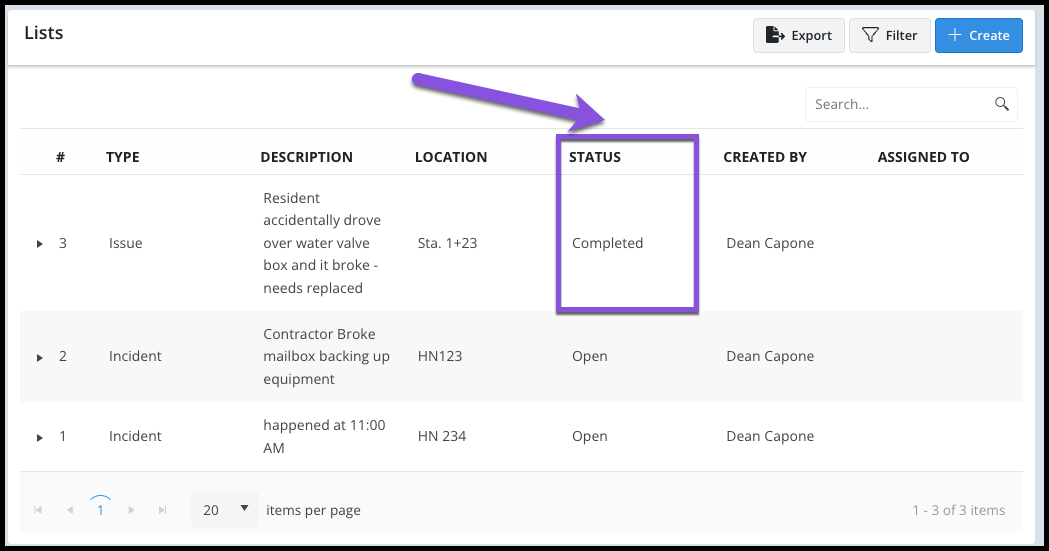
Mark Items Complete when ready to change the Status of a List Item to Complete
Updated over 2 years ago Table of contentsNavigate to your project's List page and select a List item in the grid.
Select the Complete button.

The status of the List Item will now display as Completed in the grid.

It is important to update the Status of List Items in order to properly filter and create Punch Lists vs. a Deficiency List, for example.