
Copyright (c) 2023, Intercom, Inc. (
[email protected]) with Reserved Font Name "Montserrat". This Font Software is licensed under the SIL Open Font License, Version 1.1.Copyright (c) 2023, Intercom, Inc. (
[email protected]) with Reserved Font Name "Inter". This Font Software is licensed under the SIL Open Font License, Version 1.1. Table of contents How Analytics Work in Pegasus
Power your projects with Analytics and Insights
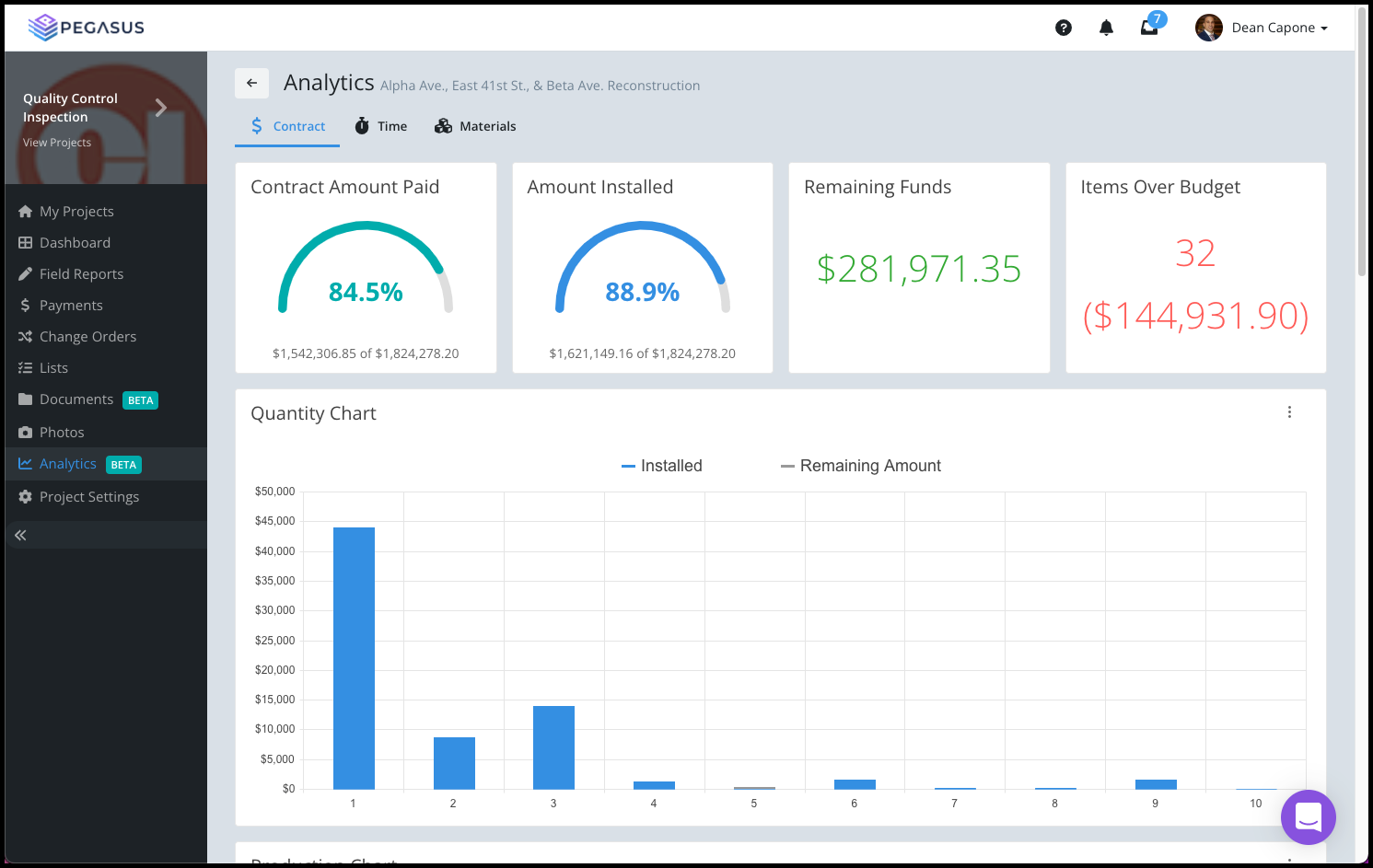
Updated over 2 years ago Table of contentsMeet your project's Analytics page. The Analytics page in Pegasus displays easy to use, graphical information about the Status of your project with the following information:
-
Contract
-
Time
-
Materials
Contract
Time
Materials

Most of the information displayed comes from the Daily Construction Report (and other Field Reports) as well as Change Orders and Payments.
The Analytics page is useful for the entire project network including View only permission users. View only permission users can be contractors, clients, etc. an provides them with real-time insights into the status of everything going on with your project.